
OneDrive Explained Under 10 min.
Have you ever wonder why use OneDrive vs other products such as DropBox? or what about SharePoint? Should you use OneDrive or SharePoint? We get this question a lot. In this video we go over OneDrive vs SharePoint and some of their differences. We also show a brief overview of how OneDrive works. OneDrive is a cloud storage platform that works just like DropBox or G-Drive, but comes with big advantages.
Some of the benefits of using OneDrive vs Other applications:
- Single sign one: you only need one username and password for all the Office 365 apps.
- Security: same concept as single sign on, you can enable Multi-Factor Authentication (MFA) to secure all of your Office 365 apps.
- Ease of use: OneDrive integrates seamlessly with many of the Microsoft desktop applications like Word, Excel, Outloos and Microsoft Teams.
Watch the video to learn more!





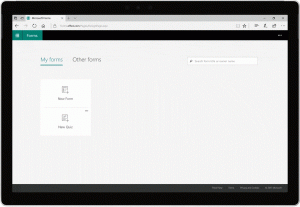 Forms are a very common business practice for many organization, both SMBs and Enterprises. Forms can facilitate collecting data, save time, reduce mistakes and helps in creating a systematic recording of information. The problem is that they are not easy to create and once the data is collected, it is not easy to analyze.
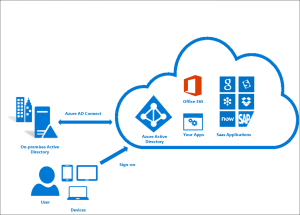 We all know Office 365 is the way to go for both SMBs and Enterprises, but deciding how to manage the users and accounting for the overhead it takes, are important things to consider. Organizations will usually have an on-premise Active Directory (server) with a list of all the users, first name, last name, usernames, and most important PASSWORD.